Connecting your systems to the ledger: APIs, integrations and what breaks
Bank, payments, invoicing and payroll can all flow into Exact Online or a similar ledger. Here is how those connections work, where they quietly break, and how to design them so they hold.

Manoj Tutika7 min read

Working on this yourself? Talk to Mark, our co-founder. We’re here to solve it with you.
On this page
Most links between your business systems and the ledger do not fail on the day they go live. They drift. A token expires, a new product has no account mapped, a payout lands net of fees, and the books fall quietly behind while the dashboard still shows a green tick. An integration, in this article, is any automated route by which your bank, payment provider, invoicing tool or payroll creates entries in your general ledger.
This article is for finance leads and controllers who run the books in Exact Online or a similar ledger, and who want to find that drift before the auditor or the VAT return does.
What should every connection guarantee?
Whatever the vendor calls its integration, judge it on four promises.
- Nothing goes missing. Every payout, invoice or payroll run in the source either appears in the ledger or appears on a list of failures someone reads.
- Nothing arrives twice. The source record's ID travels with the entry, so a retry or a second route cannot create a copy.
- Everything lands in the right place. The right account, VAT code, cost centre, customer or supplier, and the right date.
- You can prove it. Some balance, such as the bank or a clearing account, agrees with the source system.
Exact Online, like most modern ledgers, exposes a REST API for this. Access runs through OAuth, so a connection holds tokens that expire and must be refreshed, and the API limits how many calls an app may make per company per minute and per day. Both details matter later, because they are the source of most silent failures.
What are the four flows that matter most?
Bank
The bank feed is the foundation. Most Dutch banks can deliver statements directly into Exact Online, and in the EU the PSD2 rules give licensed providers regulated access to account information with your consent. Bank lines are the one source that is always right about cash, so every other flow is eventually tested against them.
Payments
Stripe, Mollie, Adyen and PayPal collect money on your behalf and pay it out in batches, net of fees and refunds. A payout is not revenue. It is a transfer from the provider balance to your bank. The clean design is a clearing account per provider. Sales go in, fees and refunds go out, and the payout empties it.
Here is a Mollie settlement as an illustration:
- €8,470.00 in gross card and iDEAL payments
- minus €96.35 in Mollie fees
- minus €150.00 refunded on order 20418
- leaves a settlement of €8,223.65 to the bank
If the integration books €8,223.65 as sales, revenue is understated by the €96.35 in fees, those fees never reach the cost line, and the refund disappears into a net number nobody can trace. If it books each component into the clearing account, the clearing account returns to zero when the settlement lands, and that zero is your proof the integration works.
Invoicing
Sales invoices may come from a billing tool, a webshop, a CRM or Exact itself. The rule that saves the most pain is that only one system owns each invoice. If your billing tool creates invoice INV-2026-0412, the ledger should receive exactly that invoice, with the same number, the same customer and the same VAT treatment, and never create its own copy.
Payroll
Payroll providers produce a journal per run, with gross wages, employer charges, wage tax and net pay. In the Netherlands wage tax goes to the Belastingdienst through the payroll tax return. In the UK, PAYE is reported to HMRC in real time on or before each payday. The ledger usually needs a summary per run and per cost centre, not a line per employee, which also keeps salary detail out of sight of everyone with ledger access.
What breaks, and how do you notice?
Integrations rarely fail loudly. They fail by doing something slightly wrong, or by quietly stopping. These are the seven failures we see most.
1. The sync stops and nobody notices
A refresh token expires, a password changes, or an API limit is hit in the middle of a batch. The dashboard still shows the last successful sync, and the books quietly fall behind. The fix is to monitor the outcome, not the connection. If no bank lines have arrived for an account in two working days, someone should hear about it.
2. Duplicates from two routes
The same supplier invoice arrives through the integration and as a PDF in the invoice inbox, and both get booked. The same customer is created by the webshop and by a colleague in the ledger. Duplicates are prevented by stable identifiers. Every record that crosses the boundary should carry the source system's ID, and the integration should refuse to create a second record with the same one.
3. Netting
Anything that arrives net hides its components. Payment payouts, marketplace settlements and factoring all do it. Book the gross amounts through a clearing account, as in the Mollie example.
4. Mapping drift
The integration was mapped when you had three products and one VAT rate. Then you launched a service sold at 9%, opened a UK entity and added a new revenue account. Unmapped items fall through to a default account, where they sit until someone looks. Review the default and suspense accounts weekly. A balance there is an integration asking for attention.
5. Cut-off and dates
A payout on 1 April for sales made on 30 and 31 March. A payroll run dated on the payment day instead of the month it relates to. An invoice synced with the date it was sent rather than the invoice date. Each one moves revenue or cost into the wrong period. Decide which date each flow uses and write it down.
6. Partial writes
An entry with three lines is sent, two lines arrive and the third is rejected because an account is blocked. Good integrations write all or nothing. Others leave the ledger unbalanced or the source marked as synced when it was not. Test this deliberately, once, by blocking an account in a test administration.
7. Changes that do not travel back
The ledger is updated, but the source never hears about it. A credit note is booked in Exact, but the billing tool still shows the invoice as open and keeps sending reminders. Decide per object whether the sync is one-way or two-way, and make sure two-way really means both directions.
How should you design connections so they hold?
A handful of principles prevents most of the failures above.
- One owner per object. Invoices are owned by the billing tool, payments by the payment provider, bank lines by the bank. The ledger records what the owner says.
- Structured IDs on everything. Linking a payment to an invoice by its ID is deterministic. Linking by amount and a guess at the name is not, and should be the exception path, not the main one.
- Clearing accounts for every intermediary. Payment providers, marketplaces, payroll and anything else that holds money between you and the bank.
- Reconciliation as the test. Bank balances agree, clearing accounts agree with provider balances, receivables agree with the billing tool. If those agree daily, your integrations work.
- Read by default, write deliberately. An integration that only needs to read should not have permission to write. Thred works this way. It reads your systems by default and writes back only within the limits you approve, as described on our security page.
- Somewhere for failures to land. Every item an integration cannot map should end up on a list a person sees, not in a log file.
More connectors, or an agent on top?
Point-to-point connectors are fine for one or two flows. The trouble starts at five or six, each with its own mapping screen, its own failure mode and nobody who owns all of them.
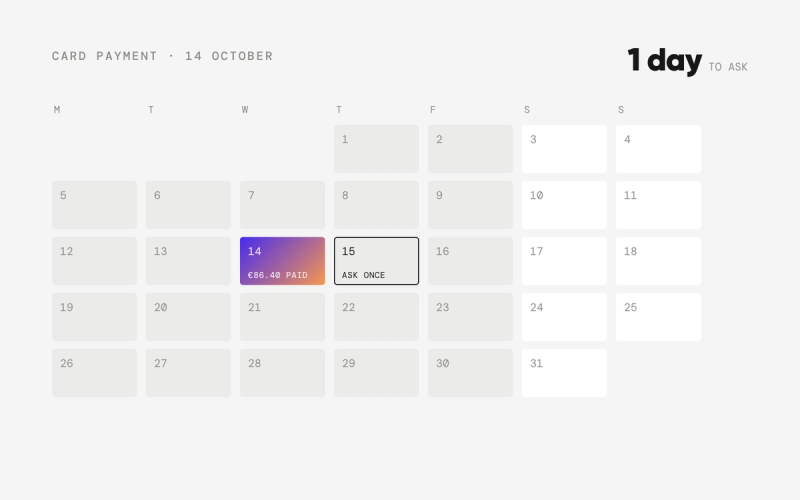
Thred Layer takes a different approach. It connects to your bank, email, payments, CRM and HR systems, keeps a synced copy of your ledger, and lets agents do the matching and mapping, including the awkward cases above. An agent that sees a new product on a sales invoice does not drop it into a default account. It recognises that the mapping is missing, proposes the account and VAT code based on similar items, and asks the controller once. When a source goes quiet, it notices that the bank lines have stopped, not just that a token expired. Finished entries are pushed back to Exact Online or your other ledger, and anything the agents cannot resolve lands in one inbox with the context attached.
If you build software for small businesses, the same machinery can run inside your product. Thred Embedded connects to your customers' accounting software over its API, so their books stay current without them leaving your interface.
A one-page checklist
- List every system that creates a financial transaction, and who owns each object.
- Give each payment provider and marketplace its own clearing account.
- Confirm every flow carries a source ID into the ledger.
- Write down which date each flow uses.
- Set an alert for "no new data in two working days" per source.
- Review default, suspense and clearing balances weekly.
- Test one failure on purpose before you trust the integration.
Connections are only as good as the reconciliation that proves them. To see agents keep those reconciliations green on your own Exact Online administration, book a demo.
Frequently asked questions
Why do accounting integrations stop syncing without warning?
Most connections use OAuth tokens that expire and APIs with call limits. When a refresh fails or a limit is hit, the connection often still looks healthy. Monitoring whether new data actually arrives per source catches this faster than watching connection status.
How do I stop duplicate invoices when using an integration?
Make one system the owner of each invoice and carry its ID into the ledger. The integration should refuse to create a second record with the same source ID, and invoices that also arrive by email should be matched against those IDs before booking.
Should payment provider payouts be booked as revenue?
No. A payout from Stripe, Mollie or a similar provider is a transfer from the provider balance to your bank. Book the gross sales, fees and refunds through a clearing account per provider, and the payout empties it.
Should payroll be posted per employee in the ledger?
Usually not. A summary journal per payroll run and cost centre is enough for the general ledger and keeps salary details visible only to the people who need them. The per-employee detail stays in the payroll system.
What is the best test that an integration works?
Reconciliation. If bank balances, clearing accounts and receivables in the ledger agree with the source systems every day, the integration is doing its job. A growing balance on a default or suspense account is the first sign it is not.
Sources
Read next
- One agent, many ledgers: mapping accounts, VAT codes and journals across Exact Online, Xero and Moneybird
- Why a reconciled bank in Exact Online can still be wrong
- Why purchase invoices wait for approval in Exact Online
Where Thred comes in
Finance agents running on top of your existing ledger. You set the rules, approve the work and handle the exceptions. No migration.